The hard part is after the exam
Faculty running midterms across several sections tell us the bottleneck is not writing questions — it is reading responses carefully enough to know what to re-teach.
Formal paper assessment for schools and universities
SchoolDesk helps faculty scan objective answer sheets, see the original work beside each score, correct anything that looks wrong, and release grades only when they are ready — without handing judgment to a machine.

Used by educators at institutions including
The problem
Faculty should spend time on student reasoning — not bubbling keys, tallying marks, and retyping scores.
Proprietary forms and dedicated machines lock departments into formats that do not match how exams are actually written.
Instructors need the original sheet beside every score. Without that, trust collapses and the tool is abandoned.
How it works
Build an exam with multiple choice, true/false, and numeric questions — or import from existing materials.
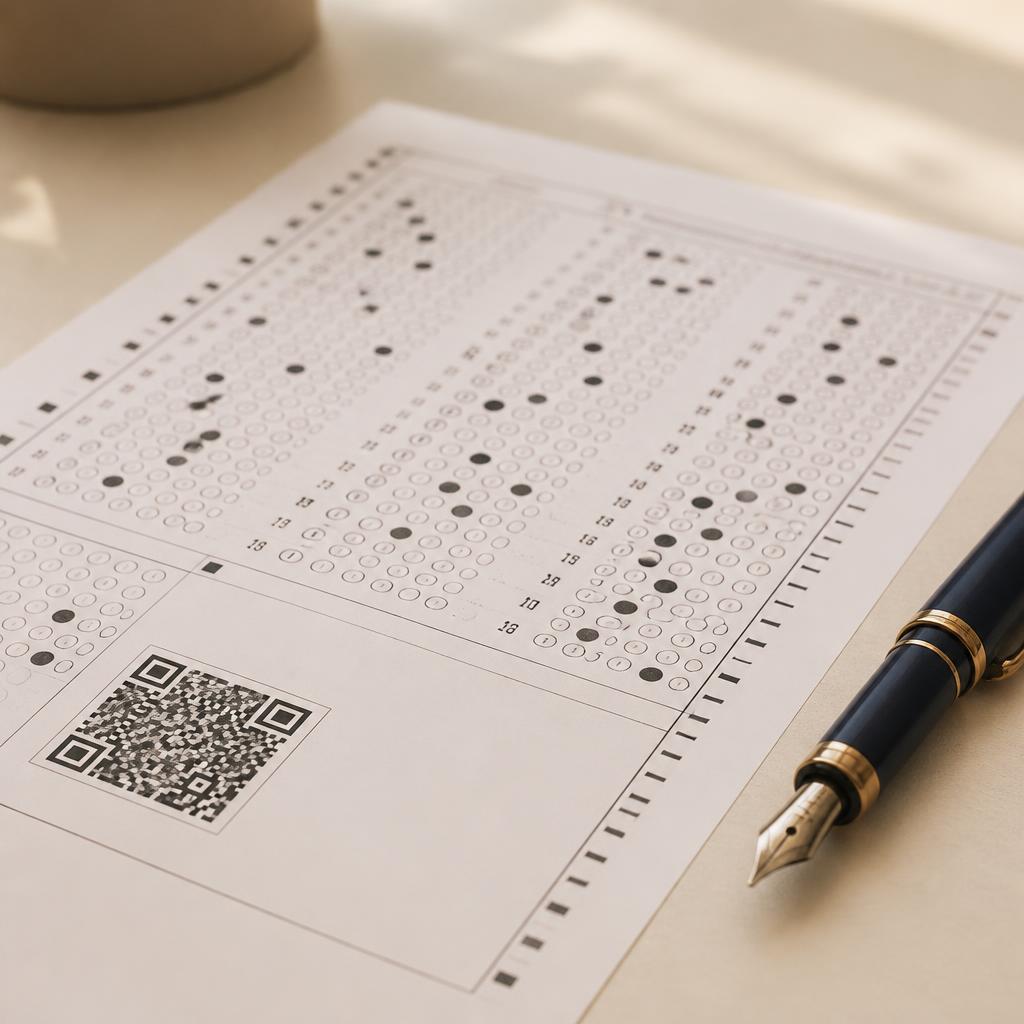
Generate a professional exam packet with a scannable answer sheet and QR code.
Students take the exam on paper, exactly as they always have.
Upload from a phone or scanner. SchoolDesk reads answers, matches students, and scores objective questions.
Inspect any result, override scores when needed, release grades when ready, then export to your gradebook.
See what teachers still do, what automation removes, and how review keeps you in control.
See the full workflowFeatures
Question pages and a bubble answer sheet bundled into one polished PDF.
Upload a whole class set at once from your desktop scanner or phone camera.
Consistent draft scores for multiple choice, true/false, and numeric questions.
Open any student result, change correct/incorrect marks, and recalculate before you export.
Open the scanned answer sheet next to each result so you can verify marks against the paper.
Matches each scan to your class roster — and flags ambiguous matches for quick review.
Built for your institution
Why SchoolDesk
SchoolDesk is for departments that still run paper midterms and finals — and expect faculty to remain accountable for every grade.
Online-only delivery
Paper-first, scan to grade
Student devices required
Paper + phone or scanner
Built for engagement
Built for formal assessment
Game-style question banks
Faculty-designed exam packs
What faculty tell us
Teachers are right to distrust tools that hide the paper. SchoolDesk is designed so faculty can see the sheet, correct the score, and release grades only when they are satisfied.
Faculty running midterms across several sections tell us the bottleneck is not writing questions — it is reading responses carefully enough to know what to re-teach.
Instructors want to see the actual sheet: how a student marked an answer, where they hesitated, and whether a mark was ambiguous. A knowledge-gap chart alone is not enough.
In financial management, instructors need to see how students work through calculations. Pen-and-paper exams stay central because a multiple-choice screen does not show whether they can do the math.
Without a clean path to CSV or the department gradebook, teachers copy results by hand — because that is where official grades live.
From the classroom
“I would not hand grading to a machine completely. I need to see the papers — how students reasoned, where they went wrong. That tells me more than a score.”
About SchoolDesk
SchoolDesk works with high schools, universities, language schools, business schools, and training programs that keep formal written exams as a serious measure of learning. We believe automation should never hide student work or absolve instructors of responsibility for grades.
We design in close loop with instructors who run paper exams every week — listening to what slows them down after scanning, reviewing, and exporting results. SchoolDesk is privately held and focused on one thing: helping faculty spend less time on mechanical scoring and more time on teaching.
We do not replace the written exam. We remove mechanical scoring of objective sheets while keeping the paper in front of the instructor.
Every score can be reviewed and overridden. Ambiguous roster matches are flagged; teachers make the final call and control release.
The original scan stays visible beside each result so recognition mistakes can be caught before grades leave the desk.
Encryption in transit and at rest, role-based access, and minimal data collection by design.
Technology
SchoolDesk reads objective answer sheets with high-accuracy recognition trained on real classroom paper. The score is a draft until a teacher confirms it — you can open the original scan, override marks, and hold results from students.
Encrypted in transit and at rest, with role-based access for every faculty member.
Ambiguous roster matches are flagged, and every graded sheet remains openable beside the score so misreads can be corrected.
Pricing
Choose the plan that fits your department. All plans include paper scanning, faculty review controls, and class reports.
FAQ
Multiple choice, true/false, and numeric questions today, with short-answer and rubric-graded questions coming next.
No. Students take exams on paper, exactly as they do today. SchoolDesk is for teachers and administrators.
Each sheet is linked to your class roster and student name. Ambiguous matches go into a quick review queue.
Yes. SchoolDesk scores objective answers as a draft. Teachers can open the original scan beside each result, override individual marks, recalculate the score, and hold results until they choose to release them.
That is why review is built in. Open the scanned paper next to the score, correct any question, and save. SchoolDesk is meant to speed mechanical work — not replace faculty judgment.
No. For objective bubble sheets it removes tallying and retyping. For deeper reasoning — essays, proofs, and process work — instructors still read the paper. We are not trying to automate professional judgment.
Data is encrypted in transit and at rest with role-based access. Our policies are designed to align with FERPA expectations for U.S. schools.
Yes — every report exports cleanly to CSV. SIS integrations for popular providers are on the roadmap.
A modern interface, flexible exam design, full digital reports, and no proprietary hardware or forms required.
Request a demo
SchoolDesk helps schools and training programs assess paper exams with faculty review — not black-box grading. faster and more accurately. We work with educators worldwide and reply within one business day.